Tag: Photoshop

  • Adobe Introduces new AI-driven Image Editing Tools in Photoshop

    Adobe Introduces new AI-driven Image Editing Tools in Photoshop

    Adobe is expanding Photoshop’s suite of AI-powered image editing tools with new enhancements powered by its Firefly models. The company announced the rollout of features including image upscaling, object blending, and an improved object removal tool.
    Image Credits: Techcrunch

    Adobe is expanding Photoshop’s suite of AI-powered image editing tools with new enhancements powered by its Firefly models. The company announced the rollout of features including image upscaling, object blending, and an improved object removal tool.

    One of the highlights, Generative Upscale, can enhance images up to 8 megapixels—ideal for restoring old photos, preparing high-quality prints, or adapting visuals for different platforms.

    Adobe Debuts Harmonize for Seamless Object Integration

    Previously previewed in 2024 as Project Perfect Blend, Adobe has now introduced this feature as Harmonize. It allows users to insert an object into a scene, remove its background, and have Photoshop automatically adjust its color, lighting, shadows, and tones to match the surrounding environment using Firefly’s AI capabilities.

    Additionally, Adobe has refined its object removal tool. Earlier versions using generative fill sometimes created unwanted artifacts by analyzing the entire scene. The updated algorithm now focuses specifically on removing the object and seamlessly filling in the background for cleaner, more accurate edits.

    Improved Object Removal Delivers Cleaner, More Accurate Results

    In a demonstration viewed by TechCrunch, Adobe’s Director of Product Management for Photoshop, Joel Baer, attempted to remove a small bowl of pico de gallo using an earlier version of the object removal tool. Instead of cleanly erasing the item, the tool left behind a green smudge. The updated version, however, successfully removed the object and filled in the area with a seamless background.

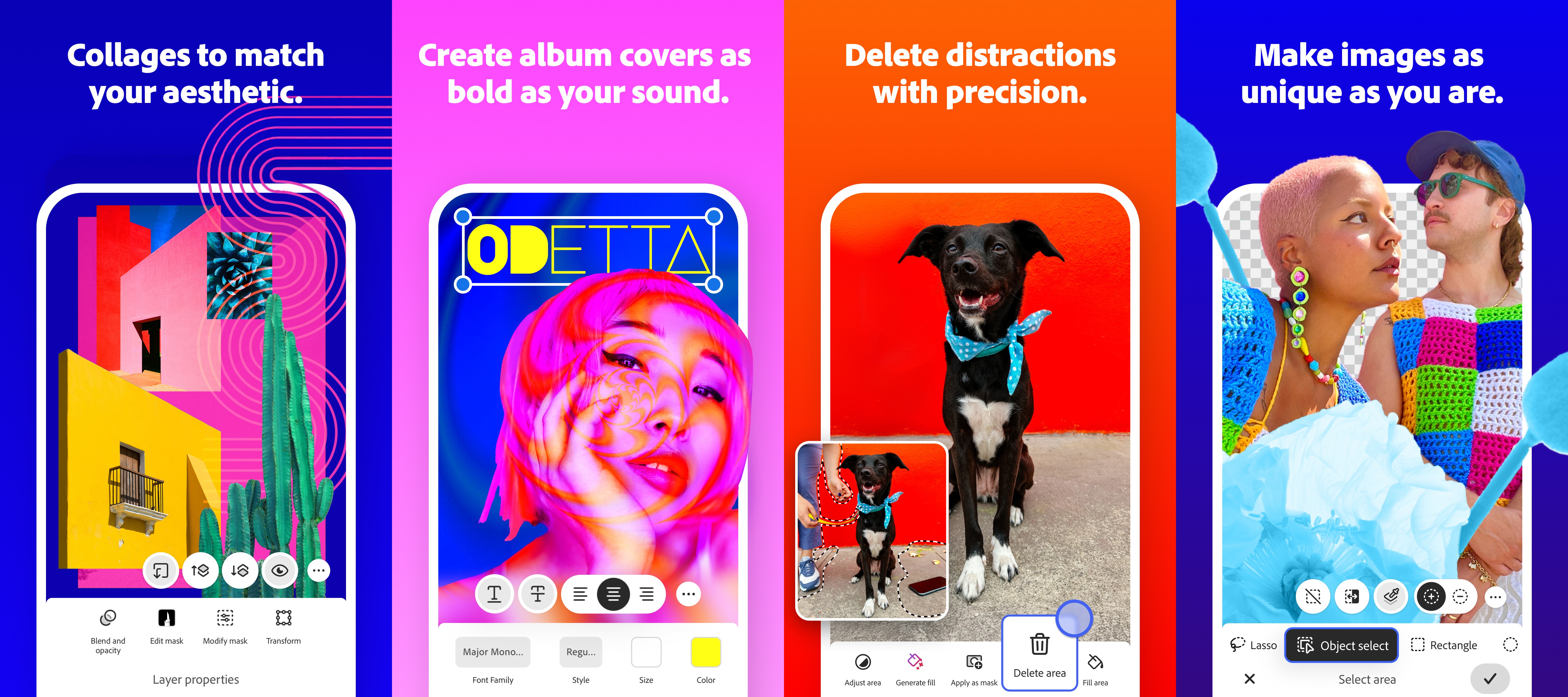
    Adobe is also introducing a few additional enhancements to Photoshop, such as improved asset management tools for organizing and sharing files. Users can now also select which version of the Firefly model they want to use when working with AI-powered features.

    We’ve spoken with photographers, designers, and content creators to understand the bottlenecks and pain points in their workflows,” said Shambhavi Kadam, Senior Director of Product Management for Photoshop, during a briefing. “These new capabilities are designed to streamline their processes, reduce friction, and handle some of the more time-consuming tasks.

    The Generative Upscale, Harmonize, and upgraded object removal tools are currently available in beta for both desktop and web versions of Photoshop. The Harmonize feature is also accessible through early access on the new Photoshop iOS app.


    Read the original article on: Techcrunch

    Read more:Amazon Acquires Bee, the AI Wearable that Records Conversations
  • Adobe Releases Beta Version of Photoshop App for Android

    Adobe Releases Beta Version of Photoshop App for Android

    Android users can now access Photoshop on their mobile devices. On Tuesday, Adobe announced the release of the beta version of its Photoshop app for Android, arriving four months after the iPhone version debuted.
    ImageCredits: Techcrunch

    Android users can now access Photoshop on their mobile devices. On Tuesday, Adobe announced the release of the beta version of its Photoshop app for Android, arriving four months after the iPhone version debuted.

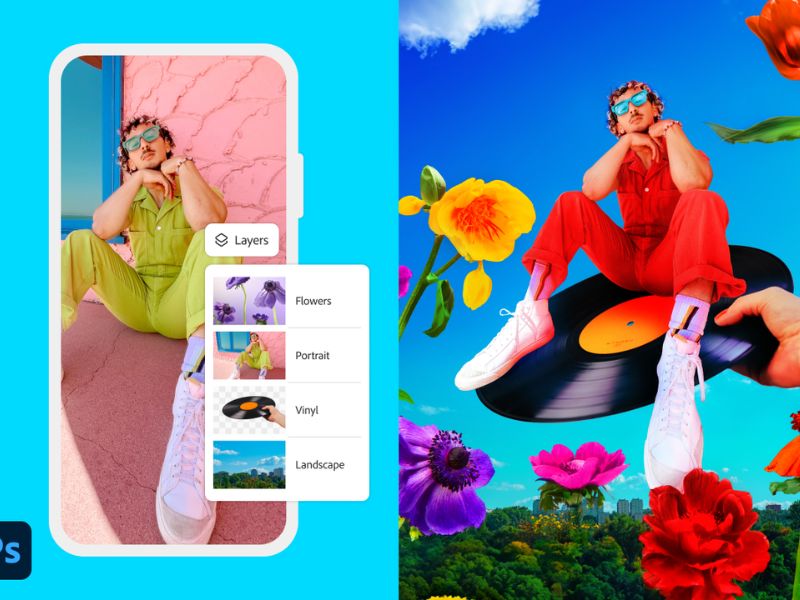
    The app includes many of the same editing tools found on the desktop version—such as layering and masking—adapted for mobile screens. During the beta phase, users can try out the app’s features at no cost.

    Powerful Editing Tools and AI Features Optimized for Mobile Use

    The app’s features include tools for combining and blending images using selections, layers, and masks. Users can also take advantage of AI-powered tools like “Generative Fill” to add or modify elements. The “Tap Select” tool allows for quick removal or replacement of image parts, and users can access a library of free Adobe Stock assets, along with advanced layer and effect controls using blend modes and adjustment layers.

    Additional tools like the “Spot Healing Brush” help remove unwanted elements, while the “Remove” and “Clone Stamp” tools allow for more detailed refinements. “Object Select” and “Magic Wand” features enable precise selections.

    Image Credits: Techcrunch

    Adobe stated that it plans to add more features to the app in the near future.

    Adobe Targets New and Existing Users with Mobile-Friendly Photoshop Experience

    With the mobile launch of Photoshop, Adobe aims to reach new audiences—particularly younger users who rely on their phones for creative work. For existing Photoshop users, the app offers a more convenient way to work directly from their mobile devices.

    The beta version of Photoshop for Android is now available for devices running Android 11 or higher, with at least 6GB of RAM. Adobe recommends 8GB or more for the best experience.

    In contrast to the Android version, the iPhone app launched with a mix of free and premium features. It also offers integration with Photoshop on the web, available through a paid plan. Adobe has not yet announced when or if this feature will be added to the Android app.


    Read the original article on: Techcrunch

    Read more:Stellantis Moves to Android after ending Amazon Partnership